Wellbeing
Wellness reminders
Gentle posture, blink and custom reminders that appear in a corner and never block your work.
Between screen breaks, Pauselle can show small reminders to sit up, blink, drink water or anything else you choose. They appear for a few seconds in a corner of the screen, don’t take focus and disappear on their own.
Find them in Settings → Wellness Reminders.
Reminder style
- Quiet Robin (default): Robin appears with a short message, such as A moment to blink: Look away and blink slowly.
- Classic animation: an animated illustration of the movement.
Press the play button to preview.
Posture and blink reminders
There are two built-in reminders:
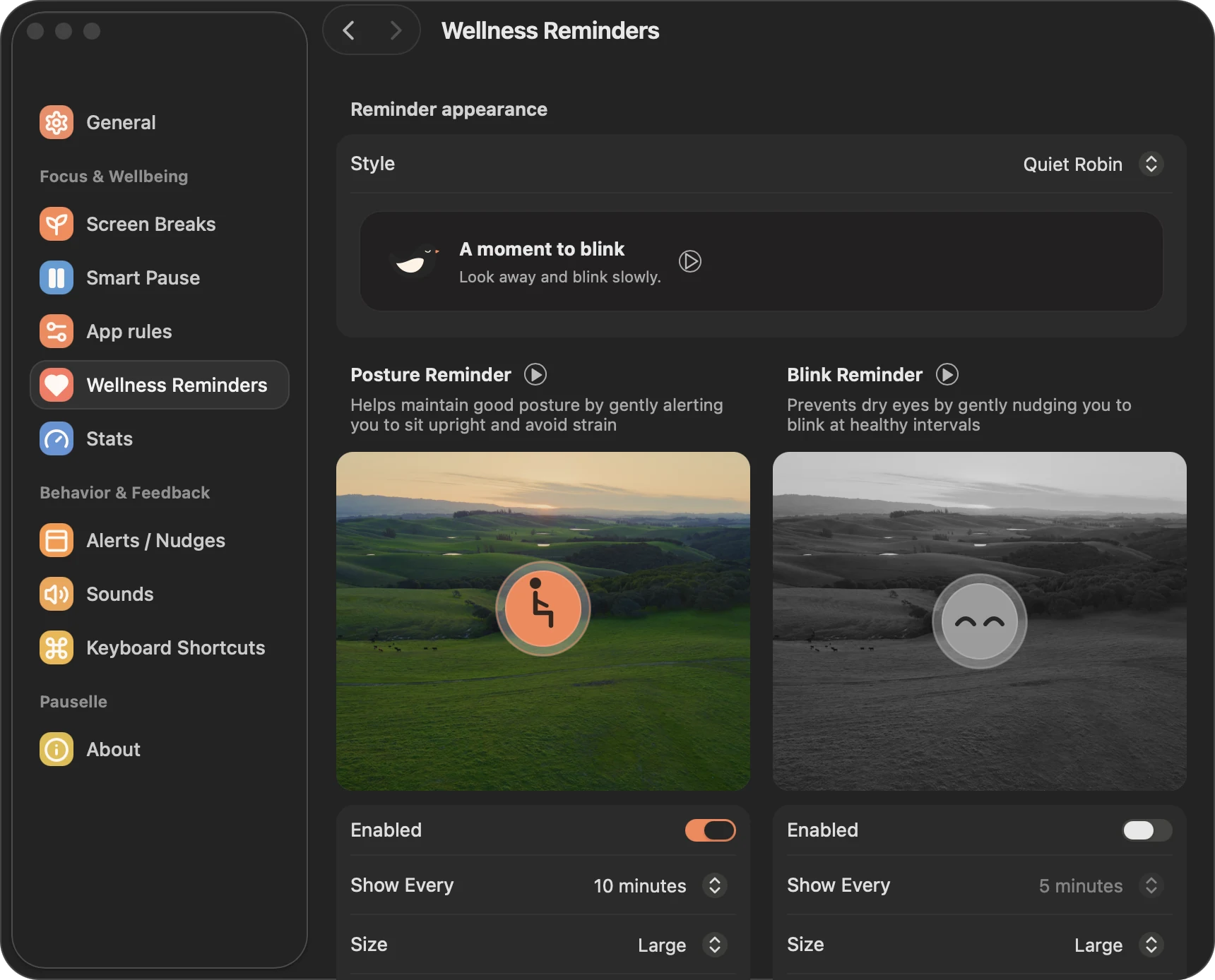
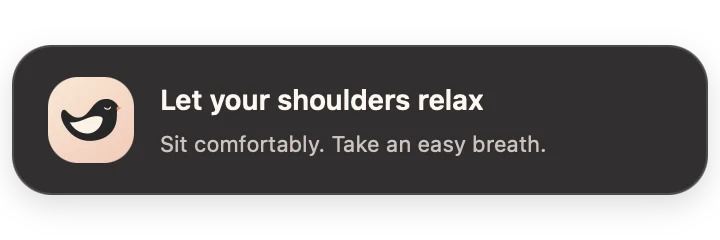
- Posture Reminder: a nudge to sit upright, drop your shoulders and take a breath.
- Blink Reminder: a nudge to blink and keep your eyes from drying out.
For each one you can set:
| Setting | Options |
|---|---|
| Enabled | Off by default (the first-run setup turns on a 10-minute posture check unless you choose Off) |
| Show Every | 1, 2, 5, 10, 15, 20, 30 or 60 minutes |
| Size | Large (default), Medium, Small |
| Position | Any of nine spots on the screen. Bottom left by default |
| Sound | Opens Sounds |
Custom reminders
Make reminders for the things you tend to forget. Start from a template or write your own:
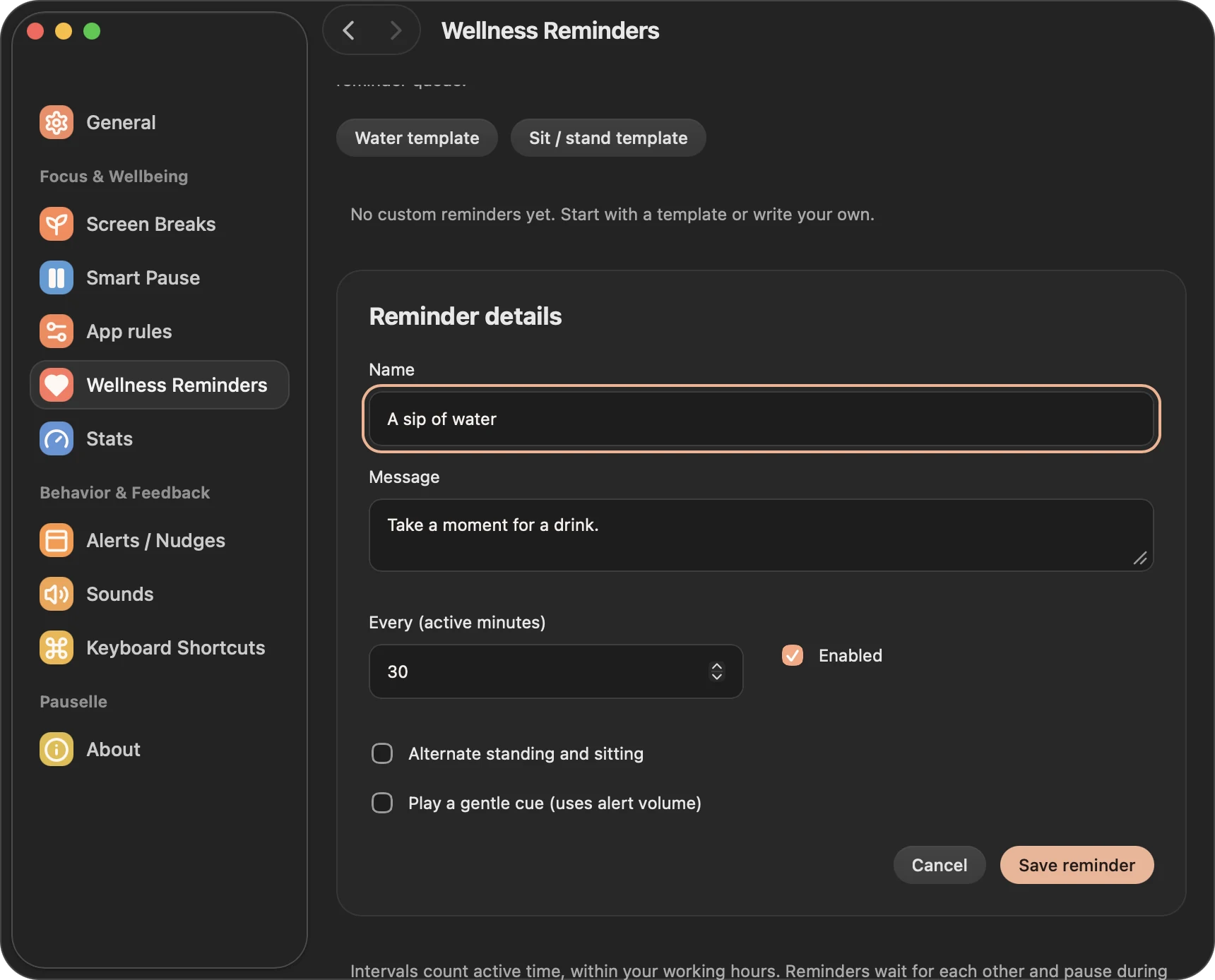
- Water template: A sip of water. Take a moment for a drink.
- Sit / stand template: alternates between standing and sitting, starting with standing.
- New reminder: a blank reminder.
Each reminder has a Name, a Message, an interval (Every 1–240 active minutes, 30 by default) and an Enabled switch. You can also:
- Alternate standing and sitting: the reminder switches between stand and sit each time it is shown. Pauselle remembers where it left off. Previewing doesn’t advance the sequence.
- Play a gentle cue using the alert volume.
You can have up to 20 custom reminders. Deleting one can be undone right away.
Common settings
| Setting | Default |
|---|---|
| Dim the screen when showing reminders | Off |
| Keep reminders active during smart-pause (meetings, sharing, etc) | Off |
| Make reminders invisible in screen recordings | Off |
| Reset timers after break | On |
How reminder timing works
- Intervals count active time: only while you are in a work session and within your office hours.
- Reminders pause during breaks, while you are idle, while Pauselle is paused, and in apps listed under Quiet wellness in these apps.
- With Reset timers after break on, reminder timers start over after each screen break.
- If two reminders come due together, they wait for each other and appear one at a time.
- After your Mac sleeps, reminder timing starts fresh. Missed reminders are not replayed.