Getting started
Setting up
Walk through the first-run setup, then find your way around the menu bar and Settings.
First run
The first time Pauselle opens, a short setup walks you through four steps. A step list on the left shows where you are. Everything you choose here can be changed later in Settings.
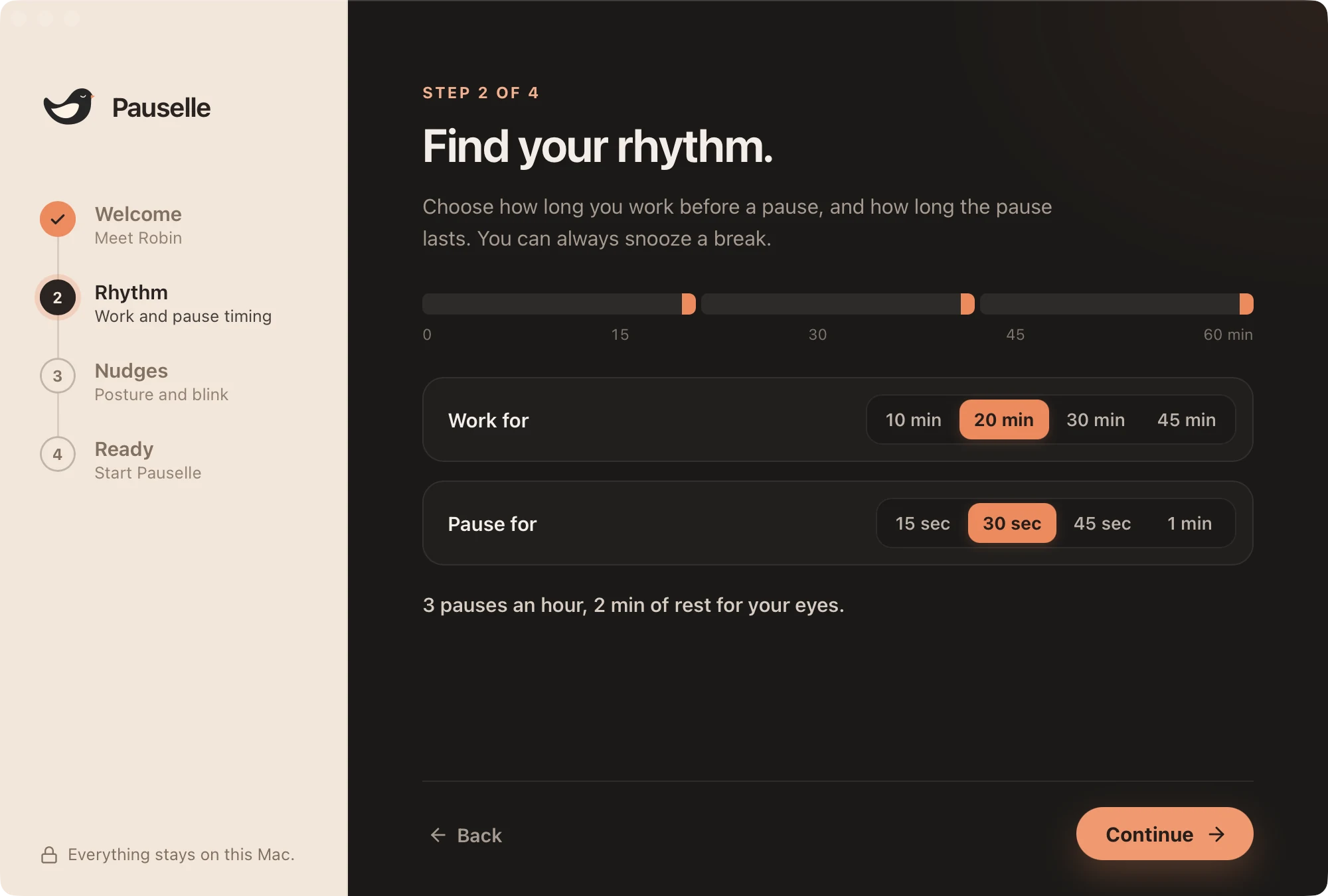
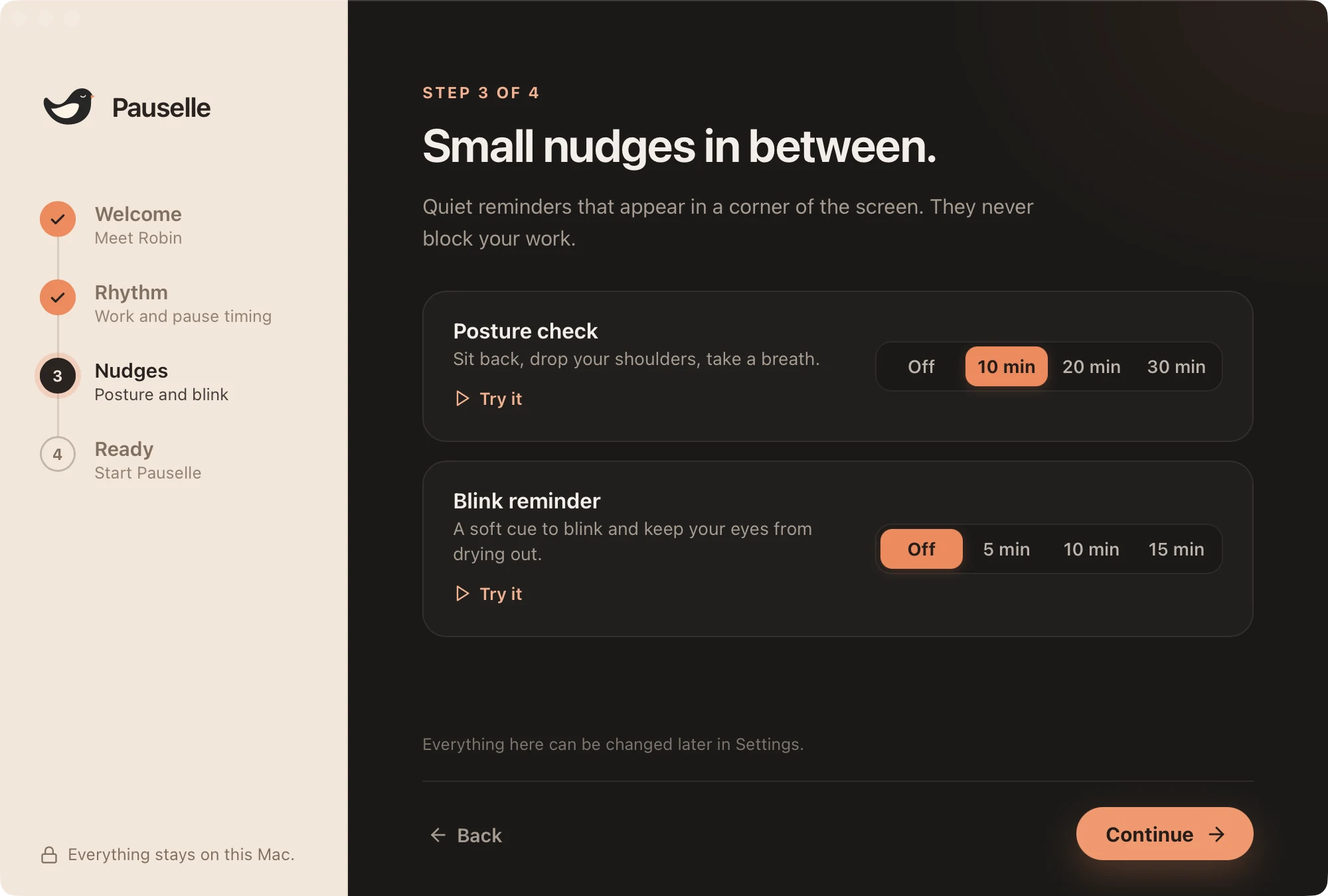
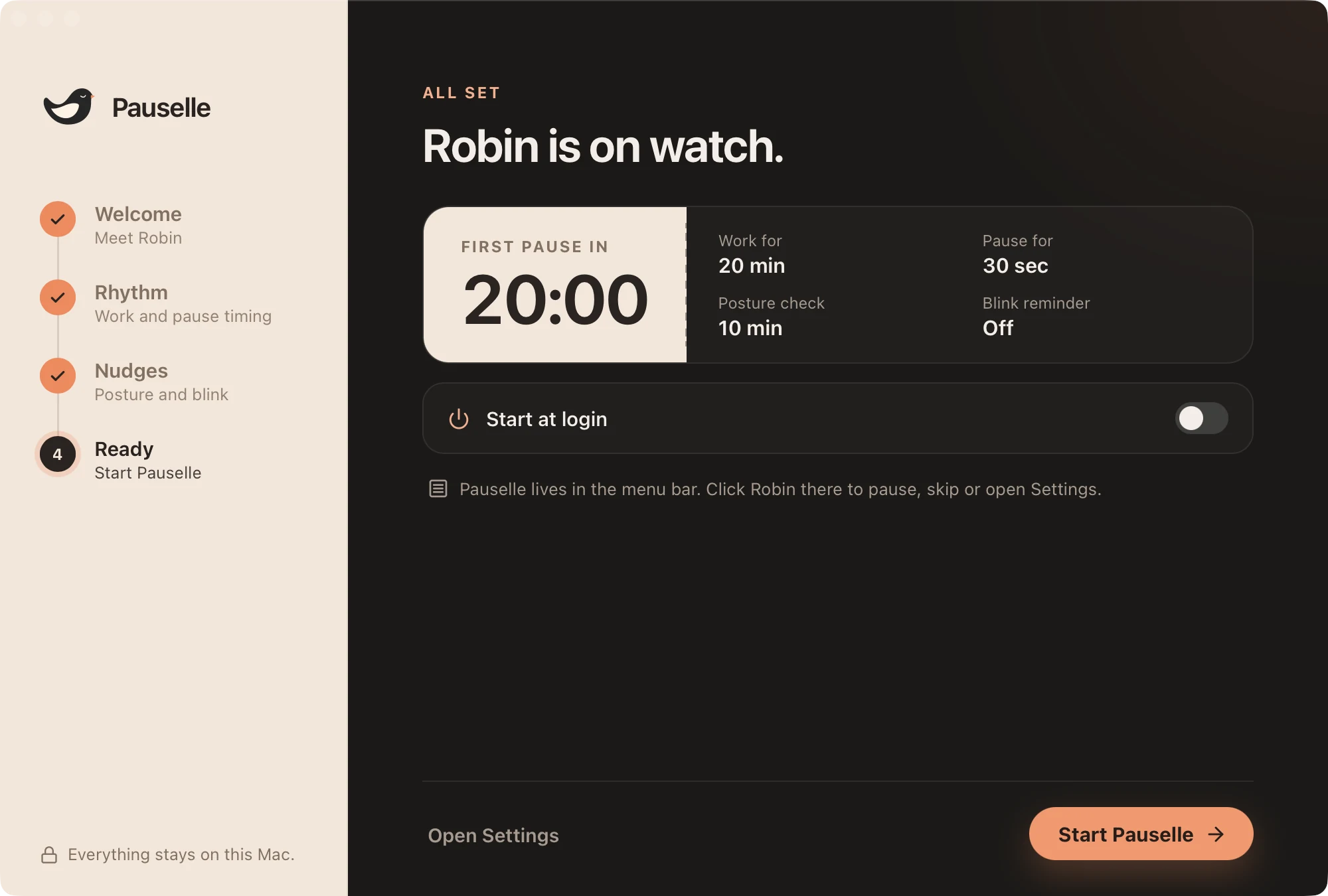
- Welcome. Robin introduces Pauselle: short, regular screen breaks, gentle posture and blink nudges, and no account. Everything stays on your Mac.
- Rhythm. Choose how long you work before a pause (10, 20, 30 or 45 minutes) and how long the pause lasts (15, 30, 45 seconds or 1 minute). A preview shows one hour of that rhythm and how much rest you get. Pauselle starts with 20 minutes of work and a 30-second pause.
- Nudges. Set a posture check (Off, 10, 20 or 30 minutes; 10 minutes to start) and a blink reminder (Off, 5, 10 or 15 minutes; off to start) side by side. Press Try it to preview each one.
- Ready. Robin is on watch. See when your first pause starts and a recap of your choices, and turn on Start at login if you want Pauselle to open with your Mac. Press Start Pauselle to begin, or Open Settings to fine-tune.
Pauselle starts in Screen Breaks mode.
Where Pauselle lives
Pauselle has no Dock icon. Look for Robin in the menu bar.
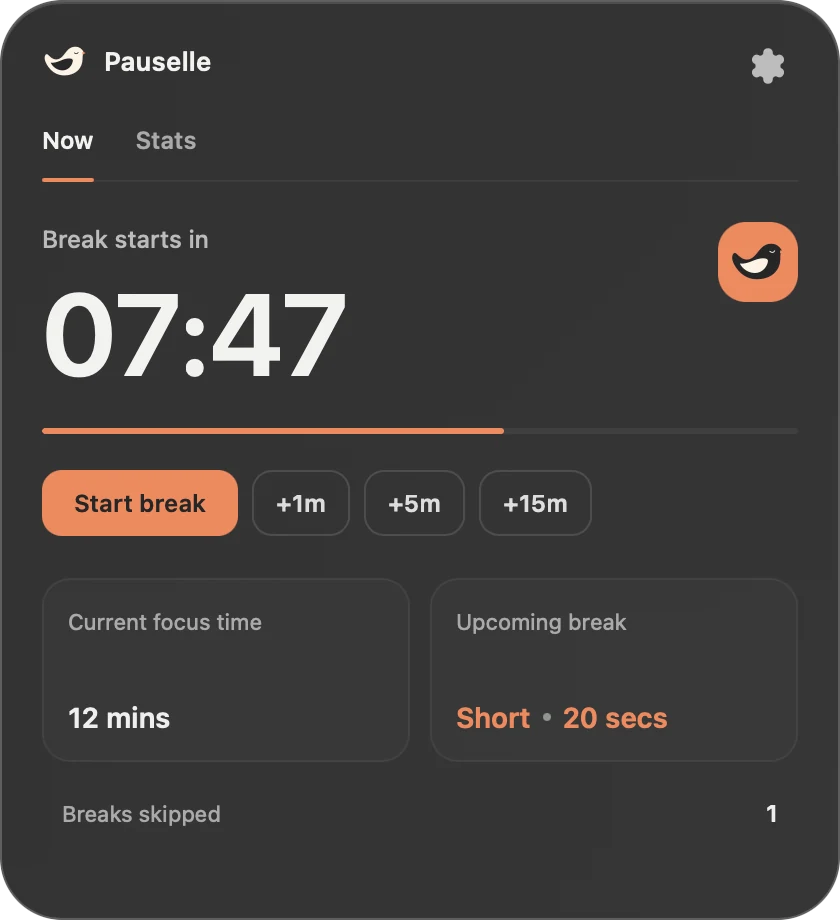
- Click Robin to open Quick Look, which shows the next break and your stats for today.
- Open the gear menu in Quick Look to pause, stop, start a break now or open Settings…
- Press ⌘ , while the menu is open to go straight to Settings.
See Menu bar & Quick Look for everything in the menu.
Settings at a glance
| Page | What it controls |
|---|---|
| General | Launch at login, language, office hours, menu bar display |
| Screen Breaks | Mode, durations, long breaks, planned breaks, break enforcement |
| Smart Pause | Calls, screen sharing, calendar, deep focus, gaming, idle tracking |
| App rules | Apps that keep timing while you read, or silence wellness reminders |
| Wellness Reminders | Posture, blink and custom reminders |
| Stats | Screen time, breaks, apps and websites |
| Alerts / Nudges | Heads-up before a break, countdown, overtime, Smart Pause alerts |
| Customize Break Screen | Background, titles and what the break screen shows |
| Sounds | Sound set, volumes and which events play a sound |
| Keyboard Shortcuts | Global shortcuts |
| Data & Privacy | Usage tracking, export and delete |
Language
Pauselle is available in English and Tiếng Việt. By default it follows your Mac’s language. Change it in Settings → General → Language.