Your rhythm, one click away.
Start, pause, snooze or take a break now. Pick a rhythm that fits the day.
Screen BreaksPomodoroFreeLong breaksPlanned breaks
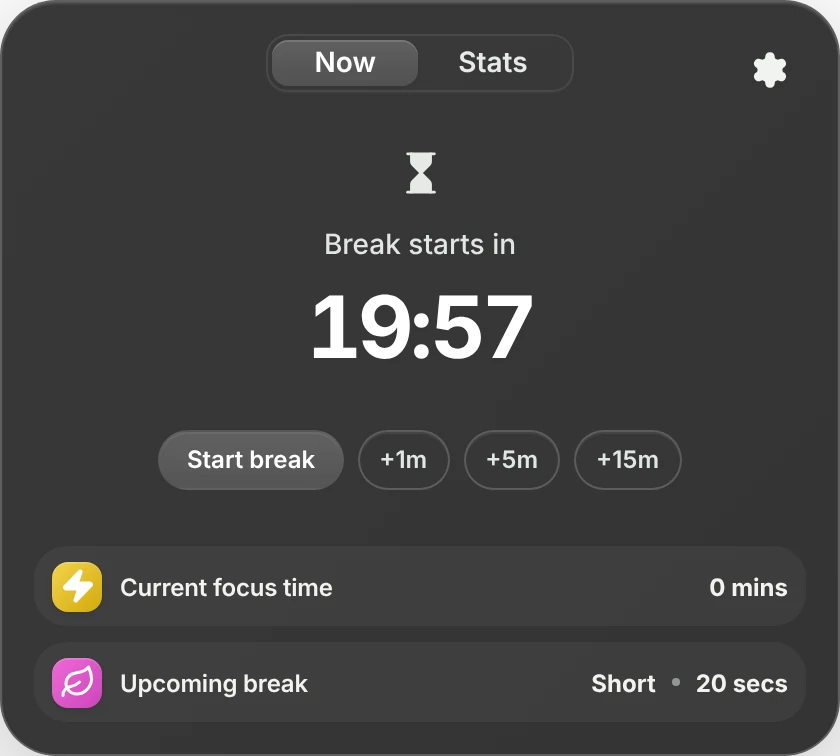
Pauselle lives in your menu bar and nudges you to look away, sit up and blink — then quietly steps aside when you're on a call, sharing your screen or deep in focus.
 19:57Fri 10:22 PM
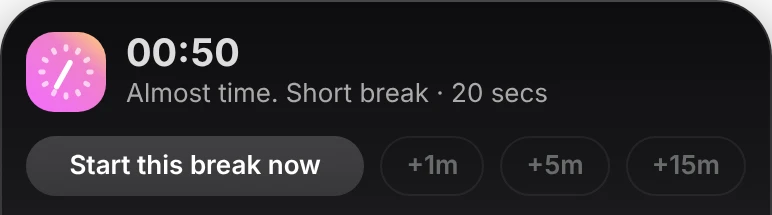
One small panel under your menu bar. A timer you can trust. Reminders that respect what you're doing.
Start, pause, snooze or take a break now. Pick a rhythm that fits the day.
Every 20 minutes, look 20 feet away for 20 seconds. Fully adjustable — down to the second.
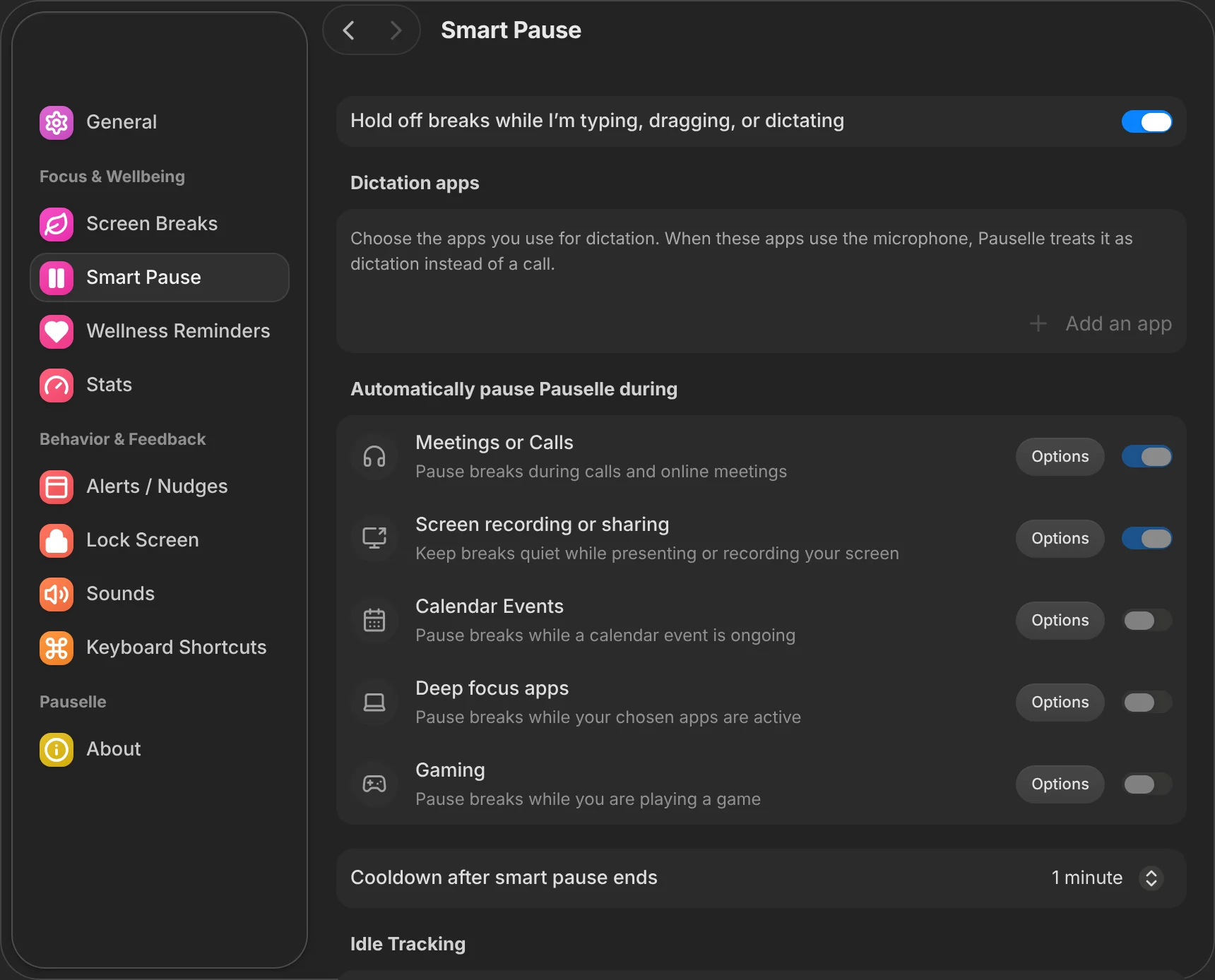
Detects calls via microphone use, screen sharing & recording, your Deep Focus apps, games and selected Apple Calendar events — then resumes on its own.
A gentle reminder before every break, a countdown near your cursor, and it waits while you're typing or dragging.
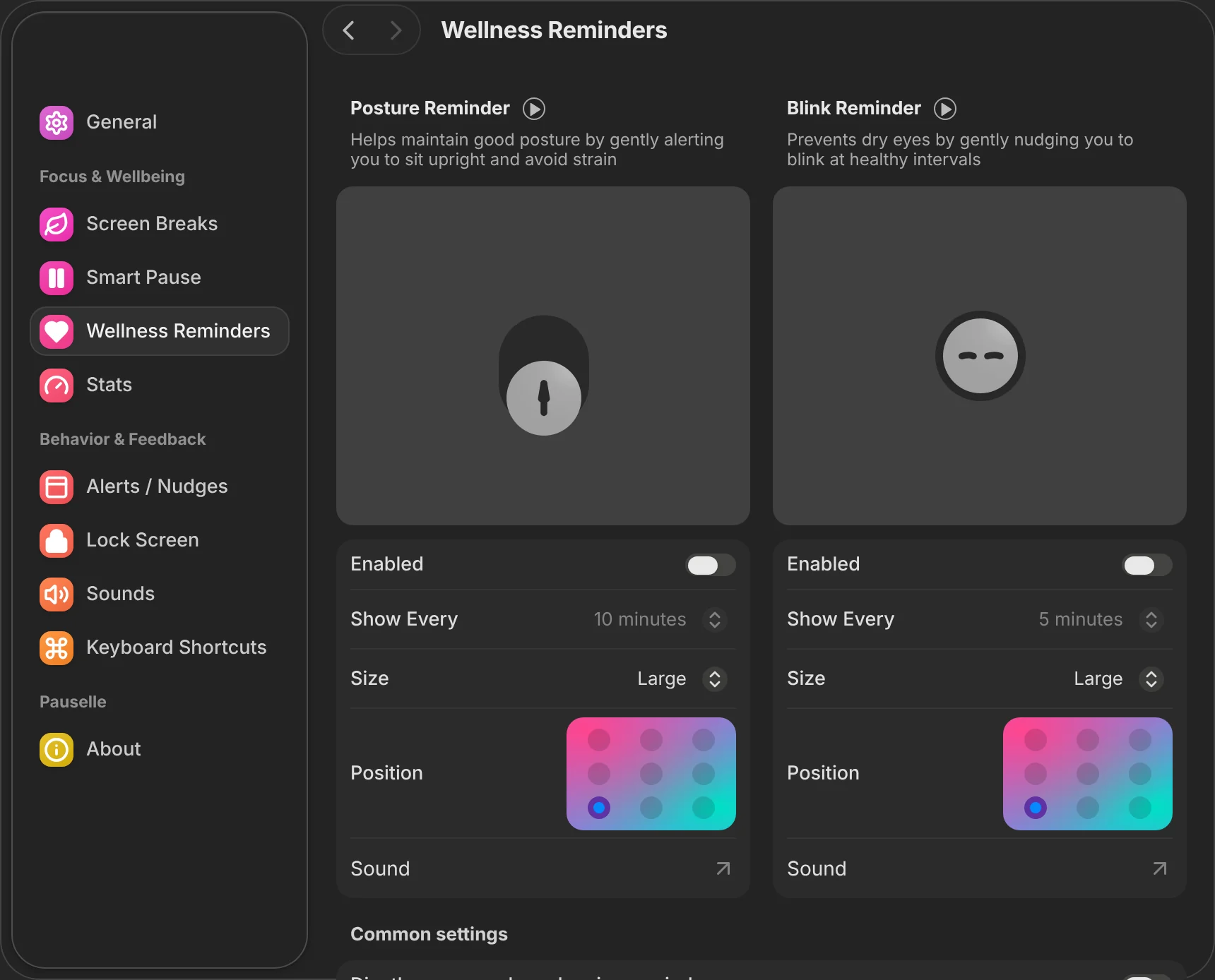
Small animated nudges for posture and blinking, on your schedule, wherever you want them.
Screen time, app usage, breaks taken and skipped — and an optional Screen Score in your menu bar. Website stats are opt-in and store the domain only.
Your current wallpaper, a photo, a gradient or a slow animation. Custom titles, a clock, start and end chimes.
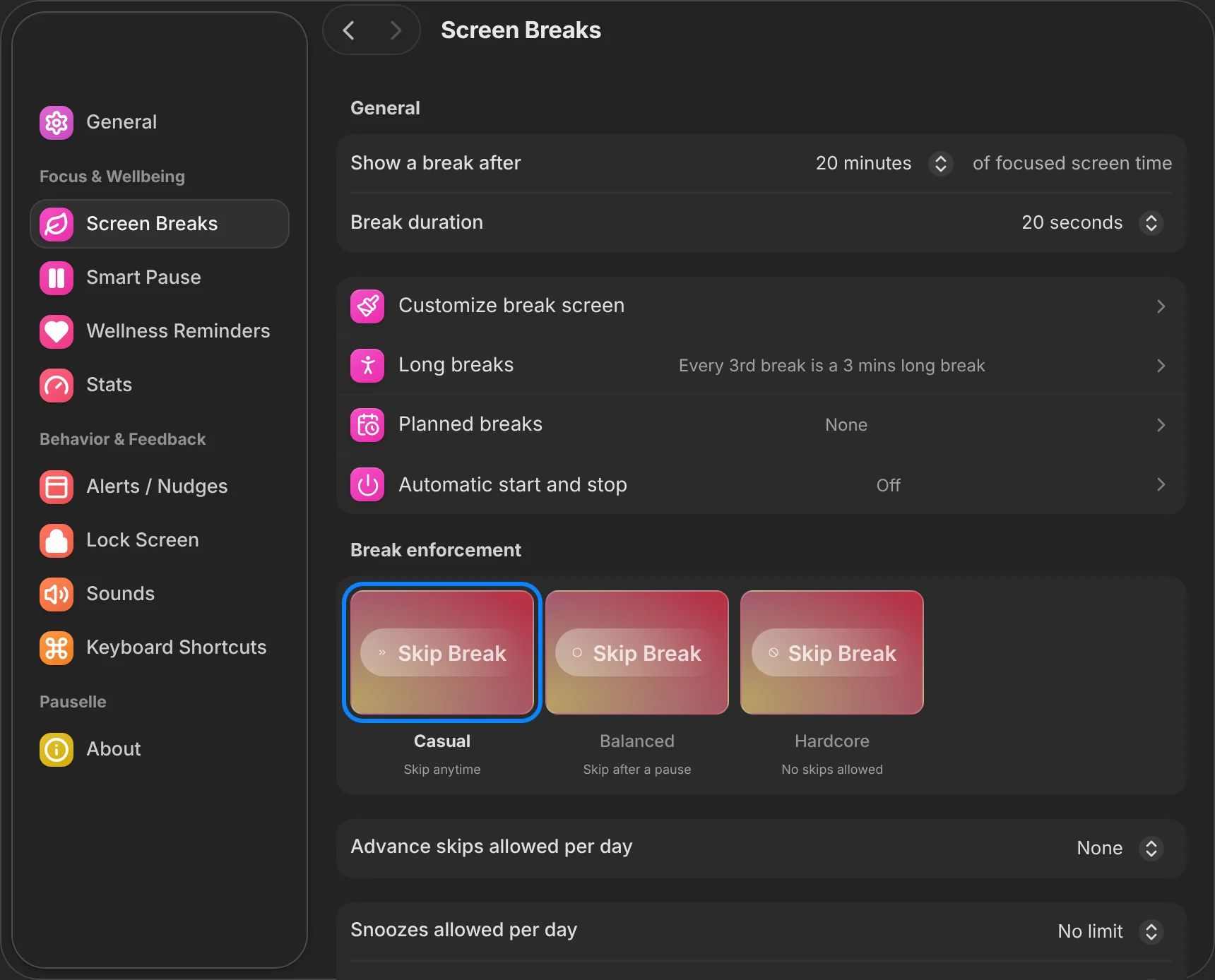
Skip anytime. For days when you just need the reminder.
Skip after a short pause, with daily limits on snoozes and skips.
No skips. Optionally lock your Mac when the break starts.
Working hours, launch at login, global shortcuts, menu bar display, sounds — all in a native-feeling settings window.
No account. No server. No telemetry. Export everything as JSON or wipe it in one click.
Free for macOS 13 Ventura or later on Apple Silicon. Builds are not notarized yet, so macOS asks you to confirm the first launch.
Drag Pauselle into your Applications folder.
Right-click Pauselle → Open → Open. Or go to System Settings → Privacy & Security → Open Anyway.
Remove the quarantine flag in Terminal:
Yes. The current preview is free to download. Application source code is private; public downloads and release notes are on GitHub.
Pauselle isn't signed with an Apple Developer ID or notarized yet. The app is ad-hoc signed; follow the three install steps above to allow it once. Notarized builds are planned.
Pauselle is built and tested on Apple Silicon running macOS 13+. Intel and Windows aren't tested yet.
Smart Pause watches for microphone use, screen sharing, Deep Focus apps, games and calendar events you choose, and pauses until you're done.
Not yet. Check the GitHub releases page or this site for new versions.